
CPU/GPU bottleneck detector.
Select your processor and graphics card to instantly detect which component is limiting your gaming performance and what you should upgrade first.
Select both components
Select your processor and graphics card to instantly detect which component is limiting your gaming performance and what you should upgrade first.
Select your CPU
Select your GPU
Frequently asked questions
What is a bottleneck, exactly?
It is the part that finishes its work first and then waits. In a game, if the processor cannot prepare frames as fast as the graphics card can draw them, the card idles and your frame rate is capped by the processor — and the reverse happens just as often. Every system has one; the question is how large it is.
My GPU sits at 100% usage. Is something wrong?
No — that is the healthy state. It means the graphics card is the limit, which is what you paid for. The situation worth investigating is a card sitting at 60% while frame rates are low, because that means something else is holding it back.
Does the resolution I play at change the answer?
Substantially. The processor does close to the same work at every resolution, while the graphics card does far more at 4K than at 1080p. The same pair of parts can be processor-limited at 1080p and graphics-limited at 4K, so always judge the balance at the resolution you actually use.
How much imbalance is acceptable?
Under about 10% is not worth acting on — you would not feel it. Beyond roughly 25% you are paying for performance you cannot reach, and the money would be better spent on whichever part is behind.
Should I upgrade the processor or the graphics card first?
Whichever the tool names as the limit at your resolution. If they are close, the graphics card is usually the better first move: it can be swapped on its own, whereas a new processor often drags a new motherboard and new memory along with it.
Related reading
Articles that explain the numbers this page works with, with worked examples and sources.
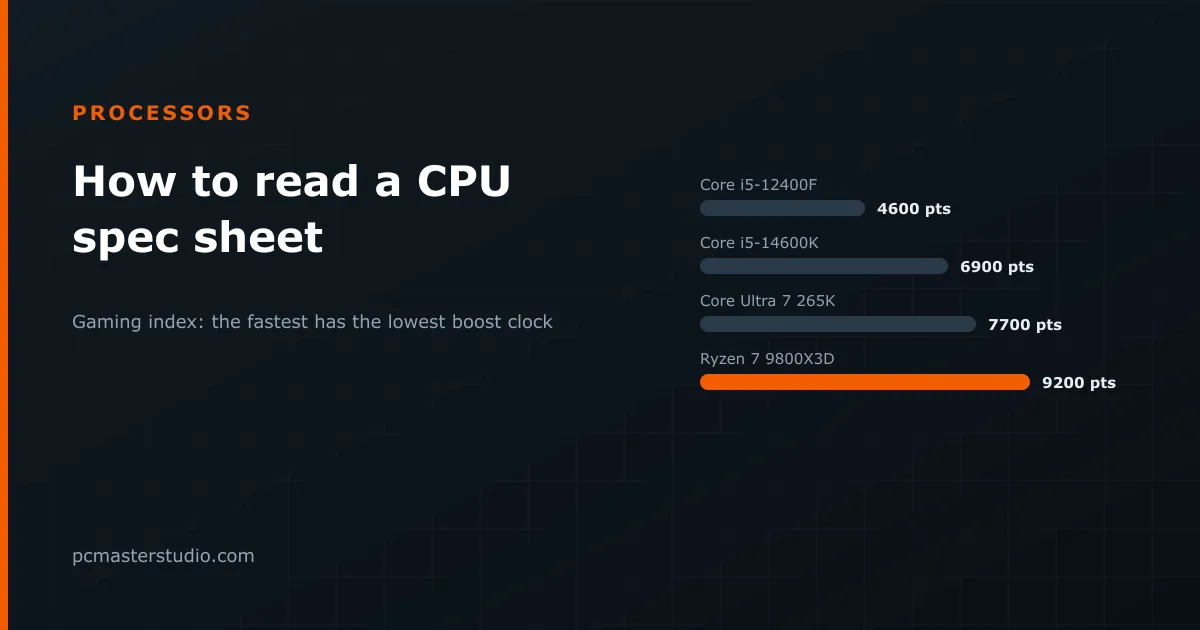 How to read a processor spec sheet, line by lineThe chip with the lowest boost clock of three is the fastest in games by a wide margin. What each line of a CPU spec sheet decides, with four real processors.
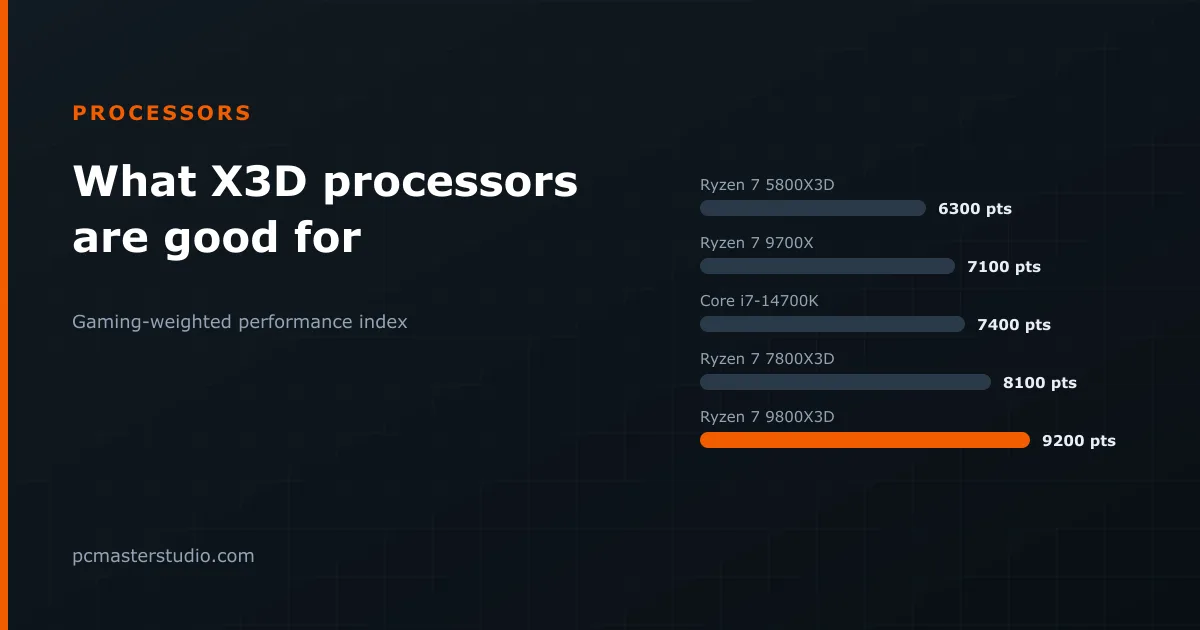 What AMD's X3D processors are good for, and when they are notStacked cache makes the 9800X3D about 30 % faster in games than the same eight cores without it. Ten processors on one scale, and the three cases where the premium buys nothing.
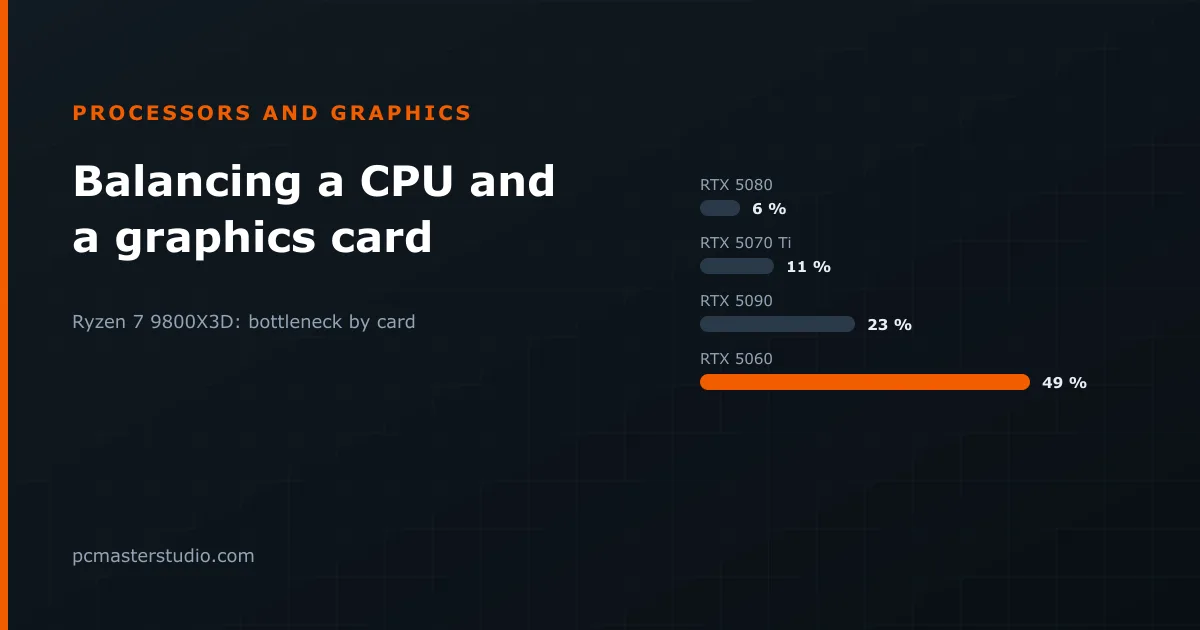 How to balance a processor and a graphics cardEvery pairing has a bottleneck; what matters is its size. Eleven real CPU and GPU pairings measured on one index, why resolution changes the answer, and where to overspend.
Keep going
Other tools and reference pages that pick up where this one leaves off.
Run a site about PC hardware? Put this calculator on it