
Hardware glossary
Every term the tools on this site use, defined once and linked from everywhere. No prior knowledge assumed, and no term explained with three more you would also have to look up.
Platform and motherboard
- Socket
- The physical connector the processor drops into. It is the hardest compatibility rule there is: an AM5 chip will not enter an AM4 board, and no adapter changes that. AMD currently uses AM5, Intel LGA1851 for Core Ultra and LGA1700 for the generations before it.
- Chipset
- The controller that decides what the board can do beyond hosting the processor: how many PCIe lanes reach the slots, how many M.2 drives are wired, whether memory and the processor can be overclocked. Within a socket, a cheaper chipset means fewer of those, not a slower processor.
- Form factor
- The board's size and mounting pattern. ATX is the full size, micro-ATX is shorter with fewer slots, and mini-ITX takes a single expansion slot and two memory sticks. A case states which it accepts; a larger board in a smaller case is simply not a build.
- PCIe
- The bus that connects graphics cards and NVMe drives to the processor. Each generation doubles the bandwidth per lane. Generations interoperate in both directions — a PCIe 5.0 drive works in a 4.0 slot — it simply runs at the slower one's speed.
- BIOS / UEFI
- The firmware that starts the machine before any operating system exists, and where memory profiles and fan curves are set. A board sometimes needs a firmware update to recognise a processor released after it, which is worth checking before buying an older board for a new chip.
- POST
- The self-test a machine runs at power-on, checking power, processor, memory and storage before handing control to the operating system. A build that "does not POST" is failing at this stage, and the board's debug light or code usually names which step.
Processor
- TDP
- The heat a processor is designed to shed under sustained load, in watts. It is a cooling target rather than a power measurement — modern chips draw well above it in short bursts — but it is the number a cooler has to be able to handle.
- Cores and threads
- A core is an independent execution unit; threads are the work streams it can interleave. Eight cores with sixteen threads handle sixteen streams across eight units. More cores help work that splits — compiling, rendering, encoding — far more than they help games.
- P-cores and E-cores
- Intel splits its processors into performance cores, which are large and fast, and efficient cores, which are small and numerous. The scheduler sends foreground work to the P-cores and background work to the E-cores, which is why core counts alone no longer compare across brands.
- 3D V-Cache
- Extra cache stacked on top of an AMD processor die, marked by the X3D suffix. Games are unusually sensitive to cache, so these chips lead in gaming while often trailing their plain counterparts in sustained all-core work, which they clock lower to accommodate.
- Integrated graphics
- A graphics processor inside the CPU. It is enough for desktop work and light gaming, and it is what lets a machine display anything at all before a graphics card is fitted. Intel F and AMD F suffixes mean the chip has none, so a card becomes mandatory.
- Thermal throttling
- A processor lowering its own clocks to stay within a temperature limit. It protects the chip and is not damage, but it is performance you paid for and are not getting — the usual causes are an undersized cooler, a case with no airflow, or badly applied paste.
Graphics
- VRAM
- Memory on the graphics card itself, holding textures, frame buffers and — for local AI work — model weights. Running out is a cliff rather than a slope: performance collapses when data has to spill to system memory.
- Board power
- What the whole graphics card draws, not just its chip. This is the figure to size a power supply against, and modern cards spike briefly well above it — which is the reason for headroom rather than an exact match.
- Card length
- How far a graphics card extends into the case, in millimetres, and the single most common reason a build does not physically go together. Cases publish a maximum; partner cards of the same model can differ by 60 mm or more.
- Upscaling
- Rendering at a lower resolution and reconstructing the image at the output one — DLSS on NVIDIA, FSR on AMD, XeSS on Intel. It buys a large frame-rate increase for a variable cost in image quality, and it is why raw resolution alone no longer predicts performance.
- 12V-2x6 / 12VHPWR
- The single high-density connector that replaced multiple 8-pin cables on recent high-end cards. It must be seated fully — a partially inserted plug is the documented failure mode — and a native cable from an ATX 3.x supply is preferable to an adapter.
Memory and storage
- DDR4 / DDR5
- Successive generations of system memory. They are physically keyed differently and a board takes exactly one of them, so the memory generation follows from the processor and board you choose rather than being a separate decision.
- XMP / EXPO
- A stored profile that runs memory at its advertised speed. Without enabling it, a kit sold as DDR5-6000 runs at the slower baseline the standard defines — which is why memory frequently "underperforms" straight out of the box.
- CAS latency
- The delay before memory returns requested data, counted in clock cycles. Because the cycles get shorter as frequency rises, a higher CL number at a higher speed can still be quicker in real time than a lower one at a lower speed.
- Dual channel
- Two memory sticks working in parallel, roughly doubling bandwidth against one. One 32 GB stick is meaningfully slower than two 16 GB sticks, and the board manual names which two slots to use — usually the second and fourth from the processor.
- NVMe
- A drive that talks to the processor over PCIe instead of the old SATA interface, which lifts sequential speeds from around 550 MB/s to several thousand. It fits an M.2 slot on the board, so it needs no cables at all.
- M.2
- The slot format an NVMe drive plugs into. Boards vary in how many they have and which PCIe generation each one runs at — a Gen5 drive in a Gen3 slot still works, at Gen3 speed.
Power and cooling
- 80 PLUS
- A rating for how much of the wall power a supply delivers rather than wastes as heat — Bronze, Gold, Platinum, Titanium in ascending order. The efficiency gap between tiers is small; the build quality that usually accompanies them is not.
- Modular
- A supply whose cables detach, so only the ones a build uses are installed. It changes nothing electrically and everything about the airflow and appearance of a small case.
- AIO
- A sealed liquid cooler: a pump on the processor, a radiator with fans bolted to the case. Sold by radiator length — 240, 280, 360, 420 mm — and the case must state that it accepts that size in a position where it fits.
- Cooler height
- How tall an air cooler stands, and the number that decides whether the side panel closes. Cases publish a maximum; a 165 mm tower in a 160 mm case does not go in, and there is no way around it but a shorter cooler.
- Airflow
- Cool air in the front, hot air out the back and top. It is what a cooler depends on: a strong cooler in a sealed case performs worse than a modest one with air moving through it, because the fans can only work with the air they are given.
- Undervolting
- Running a processor or graphics card at a lower voltage for the same clocks. Done carefully it cuts heat, noise and power for little or no performance, which makes it the cheapest upgrade available — it costs nothing but an afternoon of testing.
Related reading
Articles that explain the numbers this page works with, with worked examples and sources.
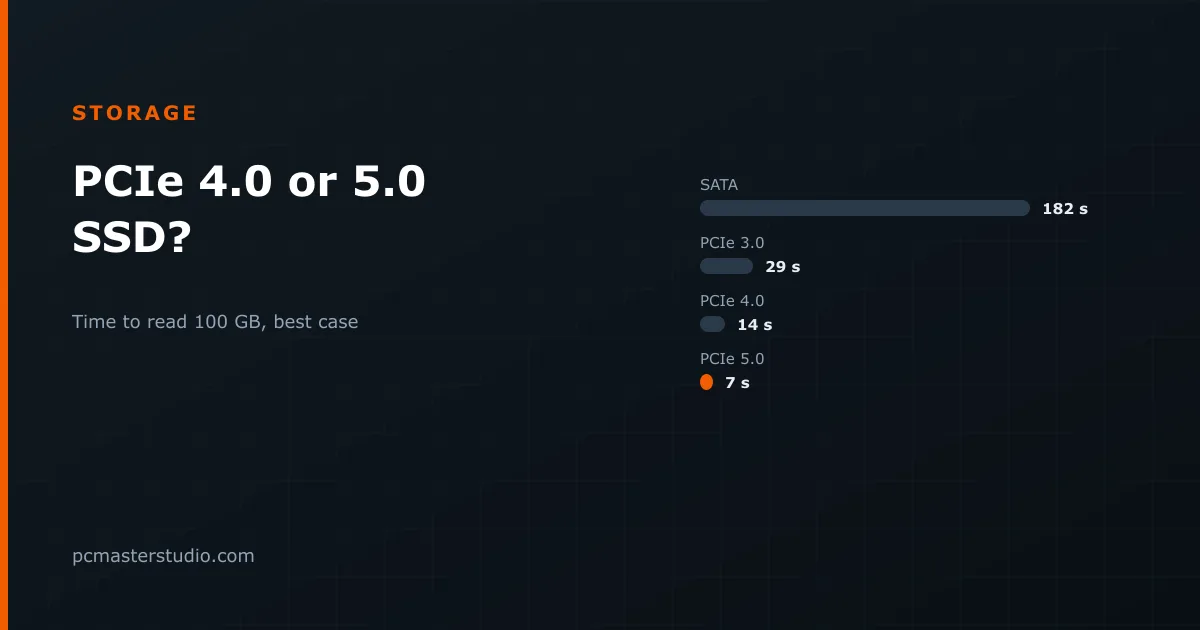 PCIe 4.0 or 5.0 SSD? What games require and where the speed showsNineteen of 25 recent games ask for an SSD and none asks for a PCIe generation. Where a PCIe 5.0 drive earns its price, where it disappears, and what to buy.
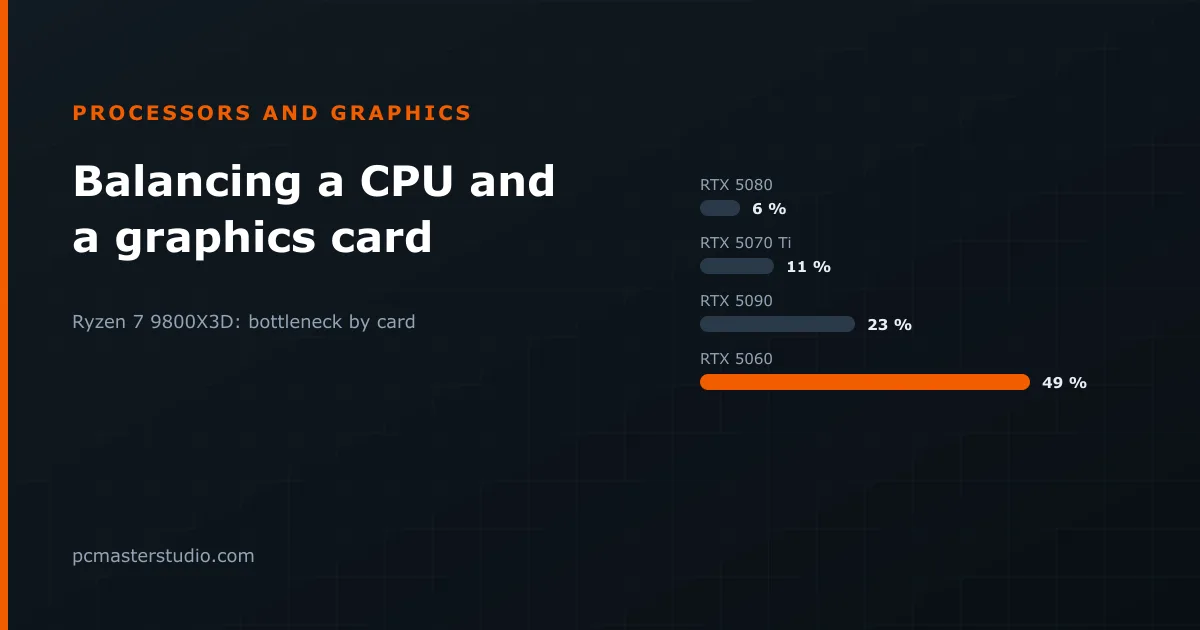 How to balance a processor and a graphics cardEvery pairing has a bottleneck; what matters is its size. Eleven real CPU and GPU pairings measured on one index, why resolution changes the answer, and where to overspend.
 DDR4 vs DDR5 in 2026: the performance-per-dollar verdictThe technical comparison between the two memory generations has not changed. The price has, enormously, and that inverts a good deal of the usual advice.
Keep going
Other tools and reference pages that pick up where this one leaves off.
Assembly simulator Build a PC piece by piece and check it boots. Build configurator Complete, coherent parts lists by budget. Power supply calculator Size the PSU your components actually need. Bottleneck detector See whether the CPU or the GPU is holding you back. AM5 vs LGA1851 AMD and Intel's current sockets, compared. Air vs liquid cooling Which one your build actually wants.