What the calculator does
It turns watts into kilowatt-hours and multiplies by your rate: watts ÷ 1,000 × hours per day × 30 × price per kWh for the month, and the same over 365 days for the year. A 350 W machine used four hours a day uses 1.4 kWh a day, 42 kWh a month and 511 kWh a year.
Which wattage to enter
Not the number on the power supply. A 1,000 W supply in a machine that draws 400 W costs the same to run as a 650 W one. Enter what the machine draws, averaged over the time it is on.
- If you know your parts, the power supply calculator gives the system draw under full load. That is a ceiling: a game rarely keeps every part at its limit, so for gaming hours a figure somewhat below it is closer to reality.
- If you do not, the presets are reasonable starting points: an office PC at 120 W, a mid-range gaming PC at 350 W, a high-end one at 550 W and a workstation at 800 W.
- If your use is mixed, average it. Three hours of gaming at 350 W plus five hours of office work at 120 W is 1.05 + 0.6 = 1.65 kWh a day — the same as entering about 206 W for 8 hours.
- If you have a plug-in power meter, use it for a typical day. Nothing beats a measurement.
Which rate to enter
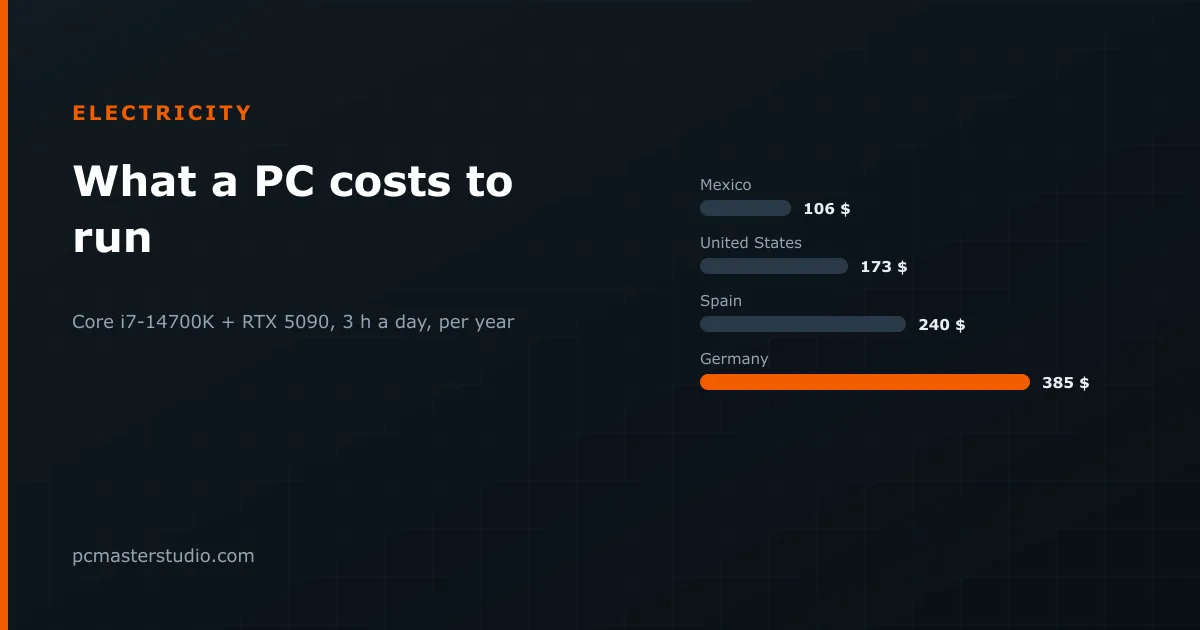
Choosing a country fills in a reference residential rate, and it is only a starting point. The reference rates span a wide range — about 0.11 per kWh for Mexico, 0.18 for the United States, 0.25 for Spain and 0.40 for Germany and the United Kingdom — and your own tariff can sit well away from your country's average. For the most accurate figure, divide the total on a recent bill, taxes and fixed charges included, by the kWh it lists, and type that in as a manual rate.
Examples with the presets
- Mid-range gaming, 4 hours a day (350 W, 42 kWh a month): about 4.62 a month at the Mexican reference rate, 7.56 at the US one, 10.50 at the Spanish one and 16.80 at the German one. The same machine costs more than three times as much to run in one country as in another.
- High-end gaming, 4 hours a day (550 W, 66 kWh): about 11.88 a month at 0.18 and 26.40 at 0.40.
- Workstation, 8 hours a day (800 W, 192 kWh): about 34.56 a month at 0.18 — over 400 a year, which is worth knowing before choosing between two processors with very different power draw.
- A machine left running a local AI model around the clock (600 W, 24 hours, 432 kWh): about 77.76 a month at 0.18 and 172.80 at 0.40. At that point, the buy vs rent calculator is worth a look: renting a cloud GPU only for the hours you need it can be cheaper than the electricity alone.
What actually lowers the bill
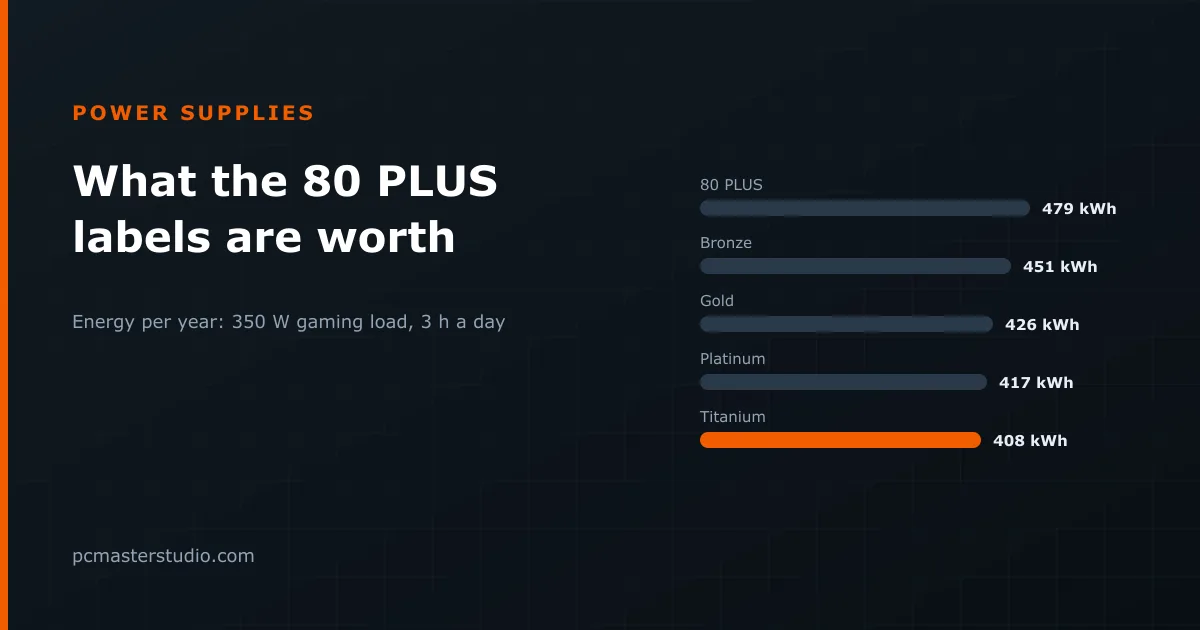
Hours matter as much as watts, so the cheapest saving is a machine that sleeps when you walk away from it. After that, a frame-rate cap stops the graphics card rendering frames your monitor never shows, and a modest power limit or undervolt on the card usually costs a few percent of performance for a much larger cut in draw. A more efficient power supply helps least of all: the step from 80 PLUS Bronze to Gold is a few percent of the bill. The formula and its limits are also on the methodology page.