
DDR4 vs DDR5
You do not usually choose a memory generation — the processor and motherboard choose it for you. What this page is really for is deciding whether a platform still on DDR4 is worth buying, and how much the newer memory actually buys you when it is not.
We may earn a commission if you make a purchase through our links, at no extra cost to you. This helps support our work.
Side by side
| Specification | DDR4 | DDR5 |
|---|---|---|
| Typical speed | 3200–3600 MT/s | 5600–8000 MT/s |
| Typical latency | CL16–CL18 | CL30–CL40 |
| Real-world latency | Roughly 9–10 ns | Roughly 9–11 ns — the higher CL is offset by shorter cycles |
| Capacity per stick | Up to 32 GB | Up to 64 GB, and 24/48 GB sticks exist |
| Voltage | 1.2 V, regulated on the board | 1.1 V, regulated on the stick itself |
| Overclocking profile | XMP | XMP on Intel, EXPO on AMD |
| Platforms | AM4, LGA1200, and some LGA1700 boards | AM5, LGA1851, most LGA1700 boards |
| Physically interchangeable | No — the notch differs | No — a board takes one generation only |
Which to pick
- You already own an AM4 or LGA1200 machine and are upgrading around it. A Ryzen 5700X3D on a board you already have is one of the best value moves in PC hardware.
- The budget is tight and every euro moved from memory to the graphics card buys more frames than the memory generation ever will.
- You need a lot of capacity cheaply for work that is not latency-sensitive, such as virtual machines or bulk compilation.
Which to pick
- You are building new. Every current platform from either brand is DDR5, so this is not really a decision — it is the default.
- The work is bandwidth-hungry: integrated graphics, video encoding, large simulations, or running language models partly on the processor.
- You want 64 GB or more without filling all four slots, which is easier on memory controllers and easier to run at full speed.
Frequently asked questions
Can I put DDR5 in a DDR4 board?
No. The notch is in a different position and the power regulation moved onto the stick, so they are not electrically compatible either. A board supports exactly one generation, and its product page states which.
Is DDR5 CL36 slower than DDR4 CL16?
No, despite how it looks. CAS latency counts clock cycles, and DDR5 cycles are much shorter. DDR5-6000 CL30 and DDR4-3600 CL16 land within a nanosecond of each other in real time, while DDR5 moves far more data per second.
How much faster are games on DDR5?
On the same processor, usually a few percent — and often nothing at all at higher resolutions, where the graphics card is the limit. The gains attributed to DDR5 in reviews mostly come from the newer processors that require it.
Which speed should I actually buy?
On AM5, DDR5-6000 with an EXPO profile is the sweet spot, because it lets the memory controller run in its efficient 1:1 mode. On Intel the curve is flatter, so 6000–6400 is fine and paying for 8000 rarely shows up outside benchmarks.
Do I need to enable anything after installing it?
Yes, and this is the most common oversight in a new build. Until you switch on XMP or EXPO in the firmware, the kit runs at the standard baseline — typically DDR5-4800 — no matter what the box says.
Related reading
Articles that explain the numbers this page works with, with worked examples and sources.
 DDR4 vs DDR5 in 2026: the performance-per-dollar verdictThe technical comparison between the two memory generations has not changed. The price has, enormously, and that inverts a good deal of the usual advice.
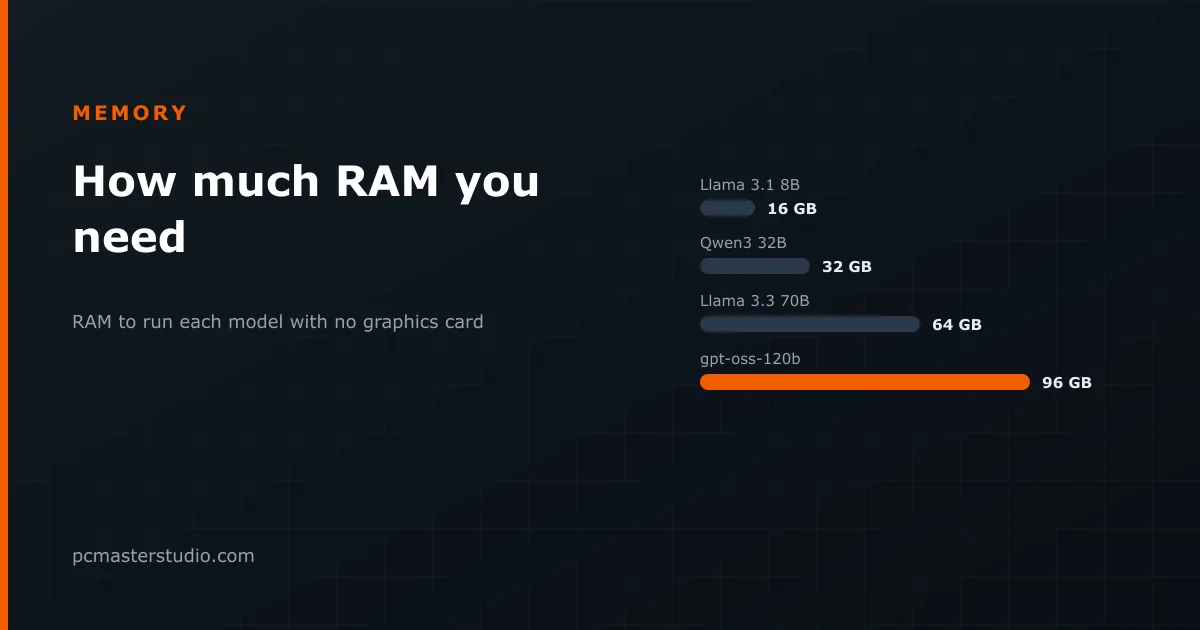 How much RAM you need, and how to install it so it counts16 GB is the gaming floor and 32 GB the comfortable choice. What local AI and heavy work change, and the module mistakes that halve your memory bandwidth.
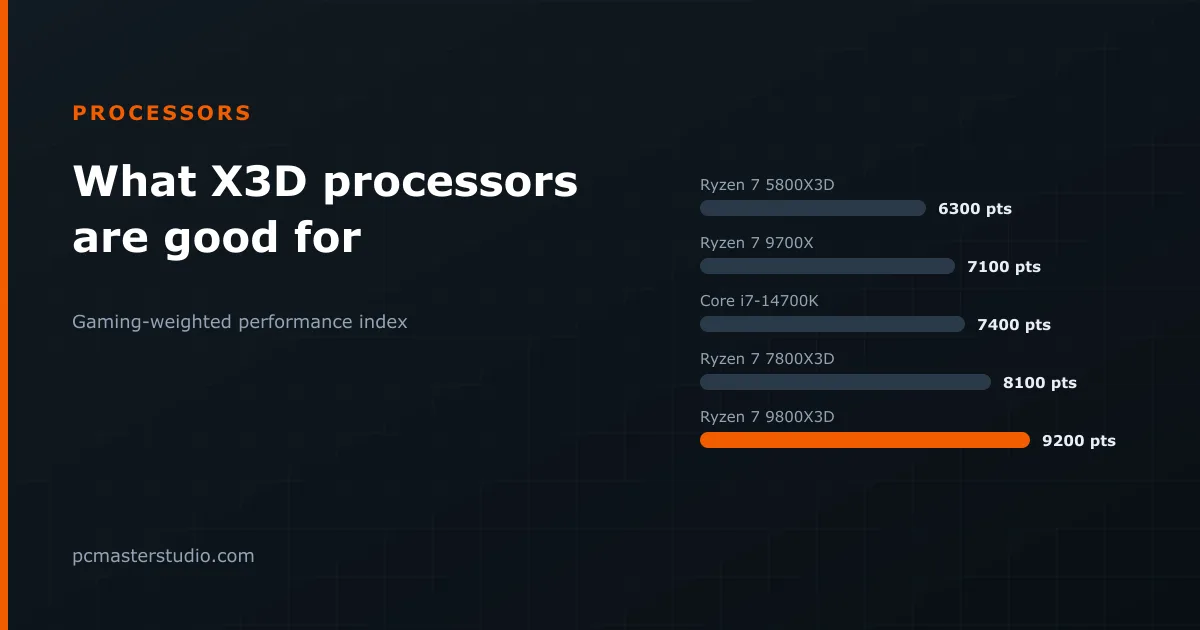 What AMD's X3D processors are good for, and when they are notStacked cache makes the 9800X3D about 30 % faster in games than the same eight cores without it. Ten processors on one scale, and the three cases where the premium buys nothing.
Keep going
Other tools and reference pages that pick up where this one leaves off.