The single cable that carries up to 600 watts into a graphics card has been redesigned once already, and the two versions look close enough that people mix them up. This is what changed, which cards need one, and the one habit that accounts for most of the failures.
The connector, in one paragraph
It has sixteen contacts: twelve that carry current and four small sense pins that tell the card how much the supply can actually deliver. Those four are the clever part. Before it draws anything, the card reads them and learns whether it is plugged into a 150, 300, 450 or 600 W source, and limits itself accordingly. The old arrangement — two, three, sometimes four separate 8-pin plugs — had no such conversation. It just assumed 150 W per plug and hoped.
The first version was called 12VHPWR and arrived with the ATX 3.0 specification. The current one is 12V-2x6, from ATX 3.1 and PCIe 5.1. The plug on the end of your cable is physically the same; the socket on the card is what changed.
What actually went wrong, and what the revision fixed
In late 2022 a number of RTX 4090 owners found the connector melted at the card end. The investigations that followed — independent labs and the standards body both — landed on the same mechanism in the large majority of cases: the plug was not fully seated. Push it in until it clicks and it is fine. Leave it a millimetre or two proud, which is easy to do behind a tight side panel with a stiff cable, and the current crowds onto whichever contacts are still touching. Six hundred watts through a partial contact is a heater.
12V-2x6 attacks that directly, by geometry rather than by warning label. The four sense pins were shortened and the twelve power terminals lengthened. A plug that is not properly home now fails to reach the sense pins before it loses good contact on the power pins — so the card reads "no capability signalled" and limits itself to a trickle instead of pulling full current through a bad joint. The failure mode became a card that will not run properly rather than a cable that melts.
This is worth being clear about: the revision did not make a dangerous connector safe. It made a correctly-inserted connector's main failure mode detectable. Seating the plug fully is still the whole job.
Which cards use one
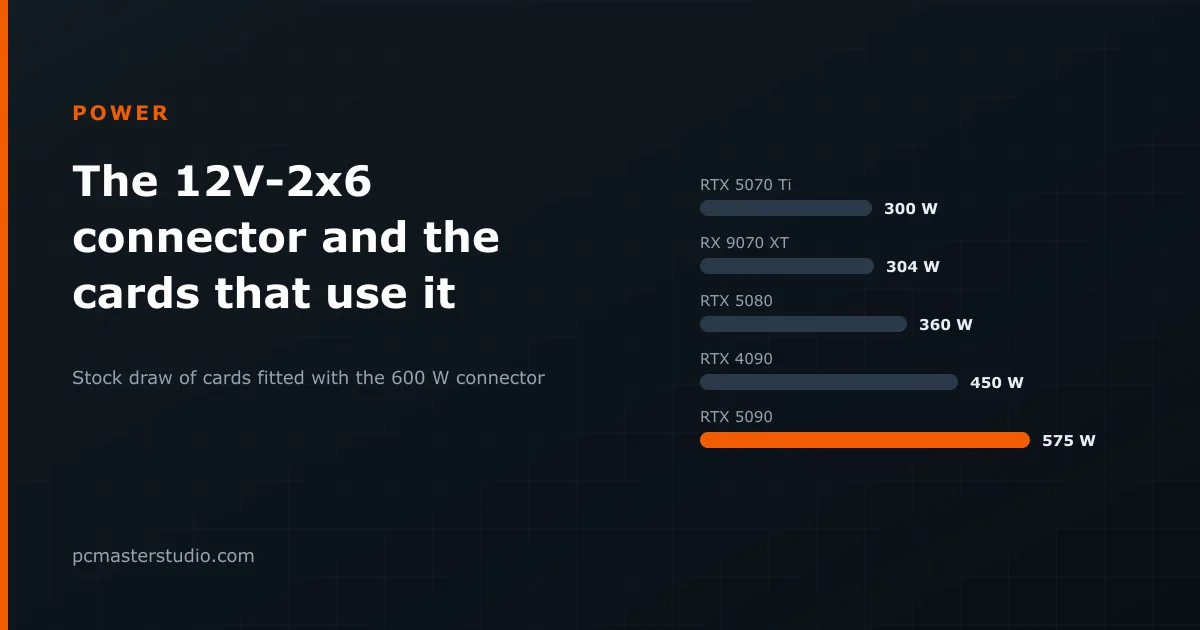
As a rule of thumb, the connector appears on cards drawing about 300 W or more — which is the threshold our power supply calculator uses to flag it, keyed off the card's draw rather than a list of model names, so a card released next month is classified without anyone updating anything. From our catalogue:
| Card | Draw | Memory |
|---|---|---|
| NVIDIA GeForce RTX 5090 | 575 W | 32 GB |
| NVIDIA RTX 4090 | 450 W | 24 GB |
| NVIDIA GeForce RTX 3090 Ti | 450 W | 24 GB |
| NVIDIA GeForce RTX 5080 | 360 W | 16 GB |
| AMD RX 7900 XTX | 355 W | 24 GB |
| NVIDIA GeForce RTX 3080 Ti | 350 W | 12 GB |
| NVIDIA RTX 3090 | 350 W | 24 GB |
| NVIDIA GeForce RTX 4080 | 320 W | 16 GB |
| AMD Radeon RX 9070 XT | 304 W | 16 GB |
| NVIDIA GeForce RTX 5070 Ti | 300 W | 16 GB |
Note where the RTX 5090 sits. At 575 W it is drawing within 25 W of what the connector is rated to carry, and transient spikes go well above the stock figure. That is the card where none of the advice below is optional.
Four things to get right
Use the cable that came with the supply
A modern ATX 3.1 supply ships with a native 12V-2x6 cable wired for its own connector layout. Modular cables are not interchangeable between brands even when the plugs fit — the pinout differs, and a mismatched cable can short. If you replaced the supply and kept the old cables, this is the mistake to check for first.
Prefer a native cable over the adapter
Cards often ship with an adapter that fans out to three or four 8-pin plugs, for people whose supply predates the standard. It works, and it adds a set of junctions in the highest-current path in the machine. If the supply has the connector natively, use it.
Push until it clicks, then look
The latch is audible and the plug should sit flush against the socket with no plastic shoulder visible. Do this before you route the cable, not after.
Give the cable room to bend
The specification asks for about 35 mm of straight cable before any bend. A side panel pressing the plug sideways is the everyday version of "not fully seated" — it was inserted correctly and then levered out. Cases with a narrow rear chamber and 90-degree adapters both deserve a second look.
Do you need a new supply?
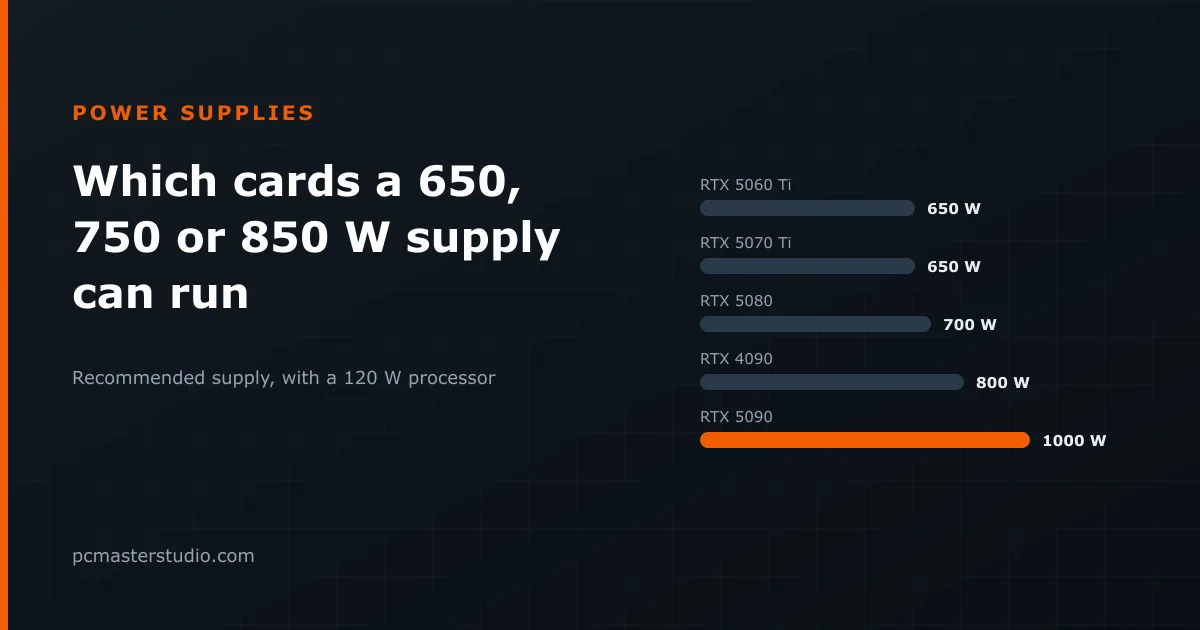
Not necessarily. A card with this connector will run from an older supply through the bundled adapter, provided the supply has the wattage and enough separate PCIe rails to feed it. What you gain from an ATX 3.1 unit is the native cable, the sense-pin conversation, and headroom specified for the microsecond spikes modern cards produce — which is the real argument, because those spikes are what trips an otherwise adequately sized supply into shutting down mid-game.
For a number rather than a rule of thumb, the power supply calculator sizes a unit from your actual card and processor and tells you whether the pair needs this connector at all. The methodology page sets out the headroom factor it applies and why.